Description
This node-red example provides the solution to Milesight gateway’s event alarm to MQTT broker.
Requirement
- Milesight Gateway: UG56/UG65/UG67
- MQTT Broker
Configuration
Step 1: Launch Node-RED and Import Flow Example
- 1. Go to App > Node-RED page to enable Node-RED program and wait for a while to load the program, click Launch button to start Node-RED web GUI.
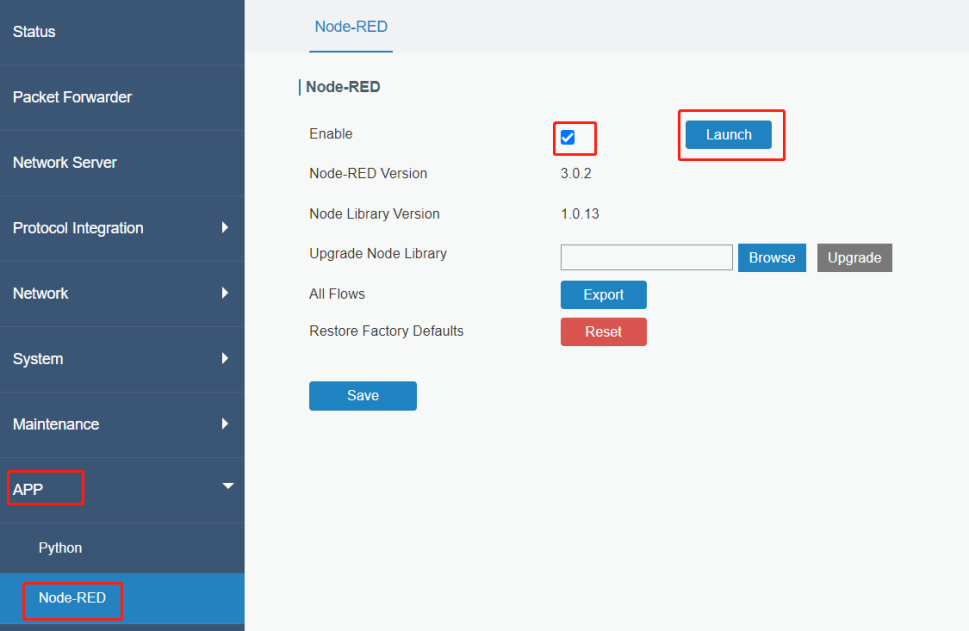
- 2. Log in the Node-RED web GUI. The account information is the same as gateway web GUI.

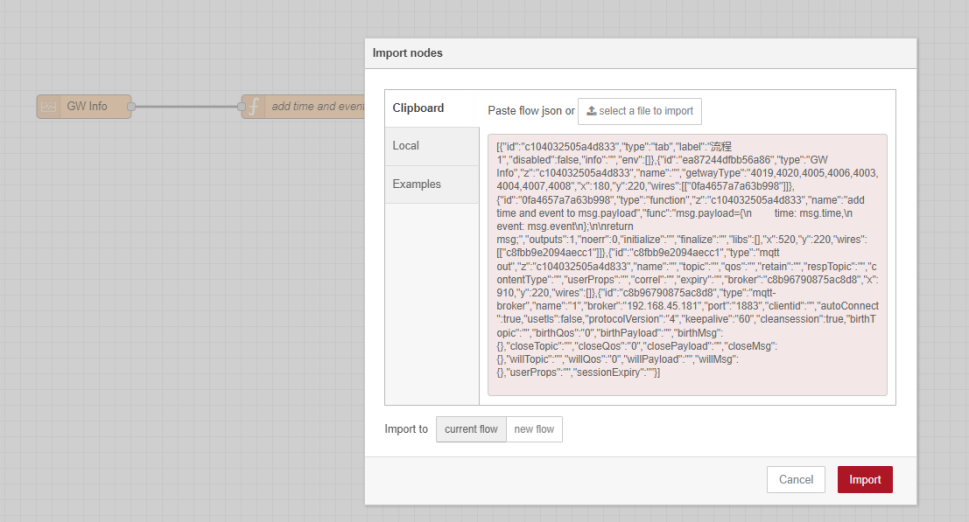
- 3. Click Import to import the node-red flow example by pasting the content or import the json format file.

Step 2: Node-RED Configuration
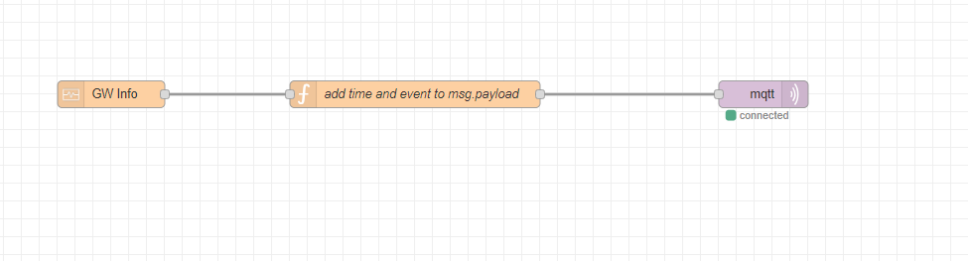
Flow structure:
Content:
[{"id":"c104032505a4d833","type":"tab","label":"流程 1","disabled":false,"info":"","env":[]},{"id":"ea87244dfbb56a86","type":"GW Info","z":"c104032505a4d833","name":"","getwayType":"4019,4020,4005,4006,4003,4004,4007,4008","x":180,"y":220,"wires":[["0fa4657a7a63b998"]]},{"id":"0fa4657a7a63b998","type":"function","z":"c104032505a4d833","name":"add time and event to msg.payload","func":"msg.payload={\n time: msg.time,\n event: msg.event\n};\n\nreturn msg;","outputs":1,"noerr":0,"initialize":"","finalize":"","libs":[],"x":520,"y":220,"wires":[["c8fbb9e2094aecc1"]]},{"id":"c8fbb9e2094aecc1","type":"mqtt out","z":"c104032505a4d833","name":"","topic":"","qos":"","retain":"","respTopic":"","contentType":"","userProps":"","correl":"","expiry":"","broker":"c8b96790875ac8d8","x":910,"y":220,"wires":[]},{"id":"c8b96790875ac8d8","type":"mqtt-broker","name":"1","broker":"192.168.45.181","port":"1883","clientid":"","autoConnect":true,"usetls":false,"protocolVersion":"4","keepalive":"60","cleansession":true,"birthTopic":"","birthQos":"0","birthPayload":"","birthMsg":{},"closeTopic":"","closeQos":"0","closePayload":"","closeMsg":{},"willTopic":"","willQos":"0","willPayload":"","willMsg":{},"userProps":"","sessionExpiry":""}] |
Node 1(GW Info): enable the events

Node 2(function):

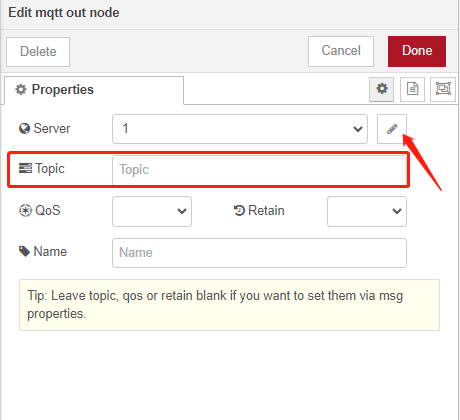
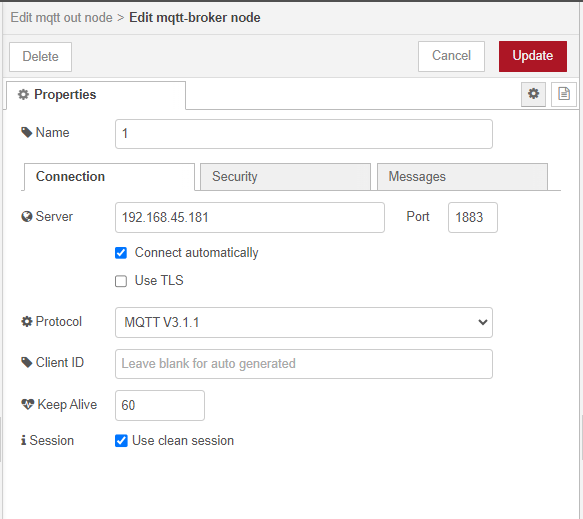
Node 3(mqtt out):
Click here to configure the connecting settings and topic.
Step 3: Deploy and Check Result
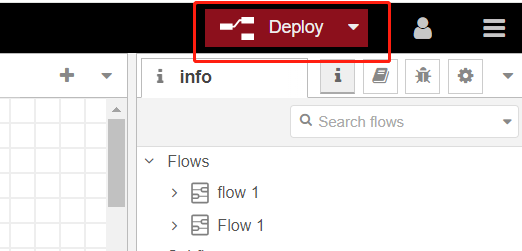
- 1. Click Deploy to save all node-red configurations.
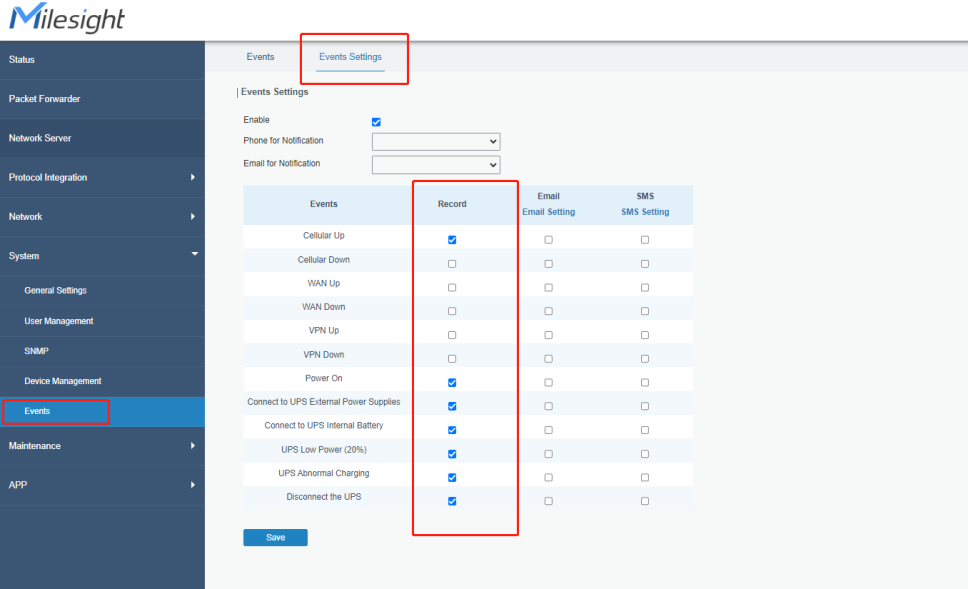
- 2. Enable the event record on gateway web GUI
- 3. When event triggered, you will receive it on your broker.

-------END-----
Was this article helpful?
That’s Great!
Thank you for your feedback
Sorry! We couldn't be helpful
Thank you for your feedback
Feedback sent
We appreciate your effort and will try to fix the article